CSS Selectors 101
What are CSS Selectors
CSS Selectors are patterns used to select HTML elements that you want to style using CSS.
For example , you might want to:
- Change the Colour of all paragraphs.
- Make a Heading Bigger.
- Give a button a background colour.
- Apply different styles to different elements.
Why are CSS Selectors needed
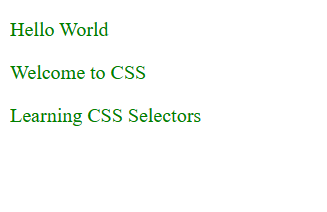
Suppose your HTML contains three paragraphs:
<p>Hello World</p>
<p>Welcome to CSS</p>
<p>Learning CSS Selectors</p>
Now you want to make all paragraphs green
Without selectors,it would be difficult to target the elements you want to style.with a CSS Selector,you can select all the paragraph at once.
<head>
    <meta charset="UTF-8">
    <meta name="viewport" content="width=device-width, initial-scale=1.0">
    <title>Document</title>
    <style>
        p{
            color: green;
        }
    </style>
</head>
Browser Preview:
Here:
pis the selector.coloris the CSS Property.blueis the value.
Types of CSS Selector
- Element Selector
Select All HTML Elements with a particular tag name.
HTML:
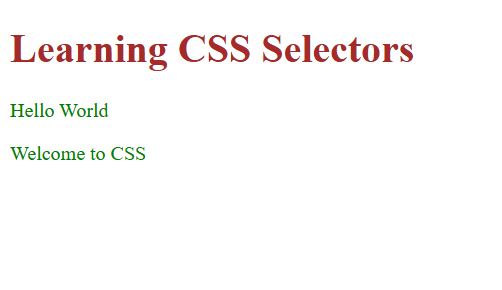
 <h1>Learning CSS Selectors</h1>
   <p>Hello World</p>
   <p>Welcome to CSS</p>
CSS:
<style>
        p{
            color: green;
        }
        h1{
            color:brown;
        }
    </style>
Browser Preview:
- Class Selector
Select all elements with a particular class name.
HTML:
<p class="info">Welcome to CSS</p>
CSS:
<style>
.info{
         color: rgb(77, 47, 10);
        }
    </style>
Browser Preview:

- ID Selector
Select one element with with a specific ID.
HTML:
<p id="para1">CSS is stands for Cascsding style sheet</p>
CSS:
<style>
#para1{
        color: blueviolet;
        }
    </style>
Browser Preview:

- Universal Selector
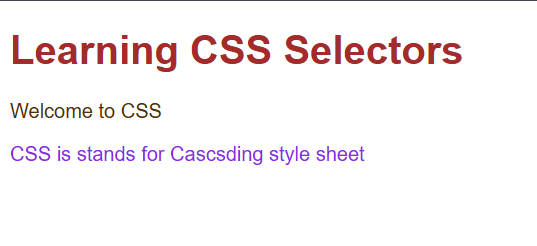
Select all elements.
CSS:
<style>
*{
  font-family: Arial, Helvetica, sans-serif;
  }
</style>
Browser Preview:
- Grouping Selector(,)
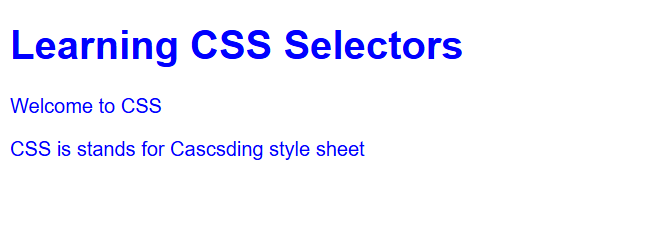
Applies the same styles to multiple selectors.
CSS:
<style>
 h1,p{
       color:blue;
        }
    </style>
Browser Preview:
Other Selectors:
| Selector | Meaning | Example |
|---|---|---|
div p |
Selects paragraphs inside a div |
Descendant selector |
div > p |
Selects direct child paragraphs of a div |
Child selector |
h1 + p |
Selects the paragraph immediately after an h1 |
Adjacent sibling |
input[type="text"] |
Selects text inputs | Attribute selector |
button:hover |
Selects a button when the pointer hovers over it | Pseudo-class |
p::first-letter |
Selects the first letter of a paragraph | Pseudo-element |
What is Descendant Selector
A Descendant selector select all elements that are inside another specified element , no matter how deeply nested they are.
it us written using a space.
Syntax:
parent child {
property: value;
}
parentelement containing other element.childelement you want to select inside the parent.- The Space mean any descendant not direct child.
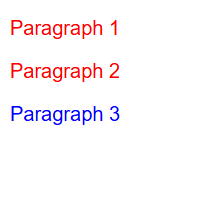
HTML:
<div>
    <p>Paragraph 1</p>

    <section>
        <p>Paragraph 2</p>
    </section>
</div>

<p>Paragraph 3</p>
p outside div has default colour.
CSS:
<style>
div p{
            color:red
        }
</style>
Browser Preview:
CSS Basic Selector Priority(Specificity algorithm)
In CSS Selector Priority determines which css rule applied when multiple rules target same element and property.
For basic selectors, the priority from highest to lowest is:
- ID Selector --
#id - Class Selector --
.class - Element Selector --
p,h1,h2 - Universal Selector -- *
HTML:
<p id="intro" class="text">CSS is stands for Cascsding style sheet</p>
CSS:
<style>
*{
            color:black;
         }
         p{
            color: blue;
         }
         .text{
            color:green;
         }
         #intro{
            color:red
         }
    </style>
Browser Preview:

Output:
Text will be red because ID Selector has the higher specificity.
If i remove id selector let see what the output is ? it should be Green
CSS:
<style>
*{
            color:black;
         }
         p{
            color: blue;
         }
         .text{
            color:green;
         }
</style>
Browser Preview:

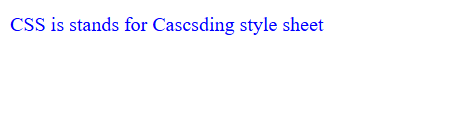
If i remove class selector then let see what the output is?it should be Blue.
CSS:
<style>
*{
            color:black;
         }
         p{
            color: blue;
         }

    </style>
Browser Preview:
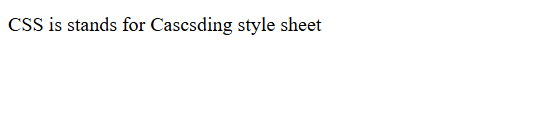
If i remove element selector then let see what the output is? it should be Black.
CSS:
<style>
 *{
            color:black;
         }
    </style>
Browser Preview:
If specificity is equal, the rule that comes later in the CSS wins, assuming the same origin, importance, and cascade layer.
Comments
Join the discussionNo comments yet. Be the first to comment.